Teams that want to say yes허용하고 싶지만 걱정되는 조직
Database owners and security staff who want an AI to look up work data, without handing it write access.업무 데이터 조회는 허용하고 싶지만, 쓰기 권한까지는 주고 싶지 않은 담당자.
Open source · MIT · by Sunny J Lab오픈소스 · MIT · Sunny J Lab
In a corporate security network, DBridge gives an AI only the least privilege it needs to read the database. Reads stay on. Writes stay off unless you turn the one exception on.기업 보안망 환경에서 AI에게 DB 접근을 위한 최소 권한만 부여합니다. 조회만 할 수 있고, 예외적인 쓰기 기능 하나도 직접 켜기 전까지는 꺼져 있습니다.
For a corporate security network that wants an AI to read the database, and nothing more.기업 보안망에서 AI가 DB를 읽게는 하되, 그 이상은 주지 않으려는 조직을 위한 제품입니다.
Database owners and security staff who want an AI to look up work data, without handing it write access.업무 데이터 조회는 허용하고 싶지만, 쓰기 권한까지는 주고 싶지 않은 담당자.
The public internet is blocked. Only the model your company already allows can be used.인터넷이 막혀 있습니다. 회사가 이미 허용한 모델만 쓸 수 있습니다.
The AI gets a read-only account and a narrow set of lookups. It runs on this machine.AI는 읽기 전용 계정과 좁은 조회만 받습니다. 이 기기에서 실행합니다.
The AI can read through a read-only account. A request that is not a plain read is refused.AI는 읽기 전용 계정으로 조회합니다. 단순 조회가 아닌 요청은 거부합니다.
Find tables, read their shape, run a query, and check permissions. The full list is in the docs.테이블을 찾고, 구조를 보고, 조회하고, 권한을 확인합니다. 목록은 Docs에 있습니다.
Table and column names stay ready, so the AI searches them instead of guessing.테이블과 컬럼 이름을 미리 들고 있어, AI가 추측하지 않고 찾습니다.
One program keeps the connection and the limits. An admin screen shows status and logs.프로그램 하나가 연결과 제한을 맡습니다. 관리 화면에서 상태와 로그를 봅니다.
Your AI tool sends a lookup to DBridge on this machine.AI 도구가 이 기기의 DBridge에 조회를 보냅니다.
Only a single read against known tables gets through. Anything unclear is refused.아는 테이블에 대한 조회 한 건만 통과합니다. 애매하면 거부합니다.
Names come from the saved catalog. Queries run with a time limit and a row limit.이름은 저장해 둔 목록에서 답합니다. 조회는 시간과 행 수에 제한을 두고 실행합니다.
It receives the columns and rows, and a clear note when the result was cut short.컬럼과 행을 받고, 결과가 잘렸으면 그 사실도 함께 받습니다.
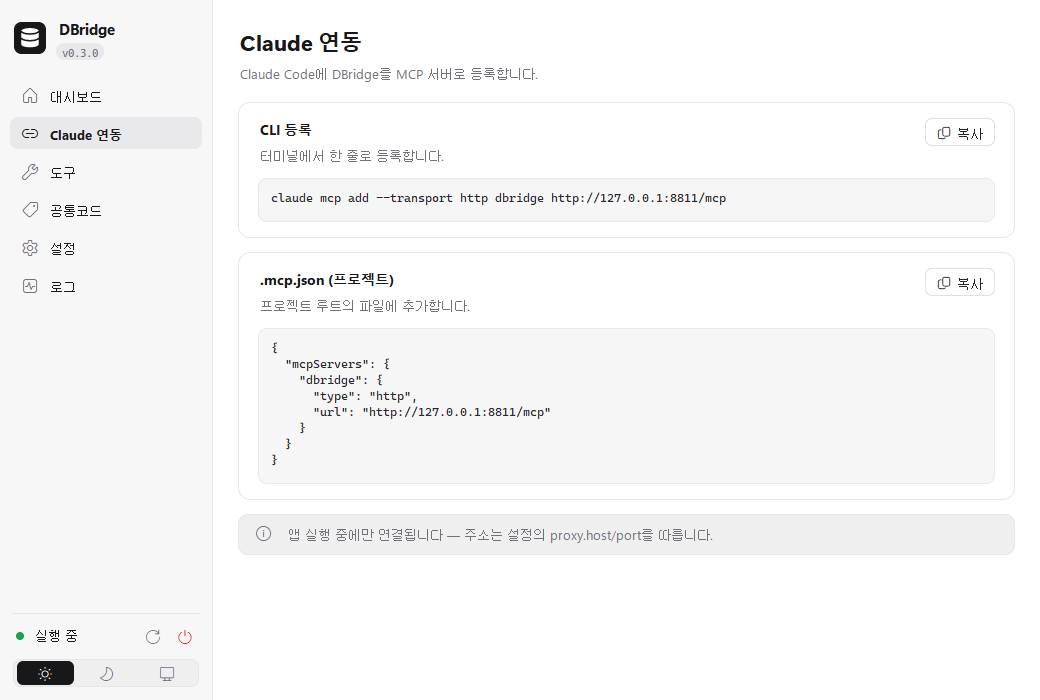
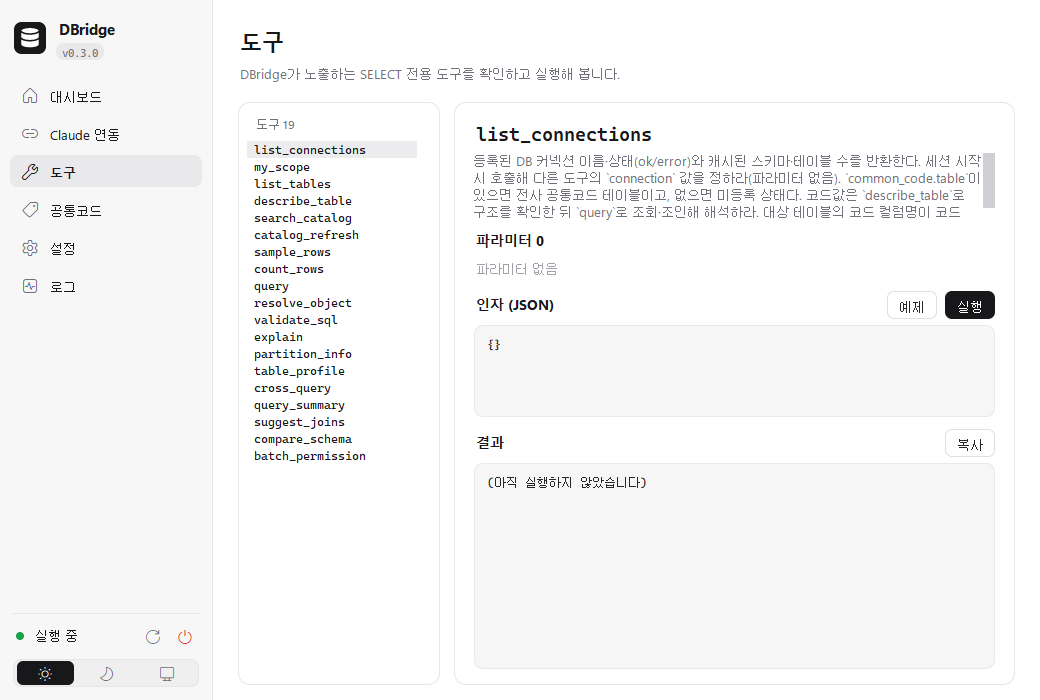
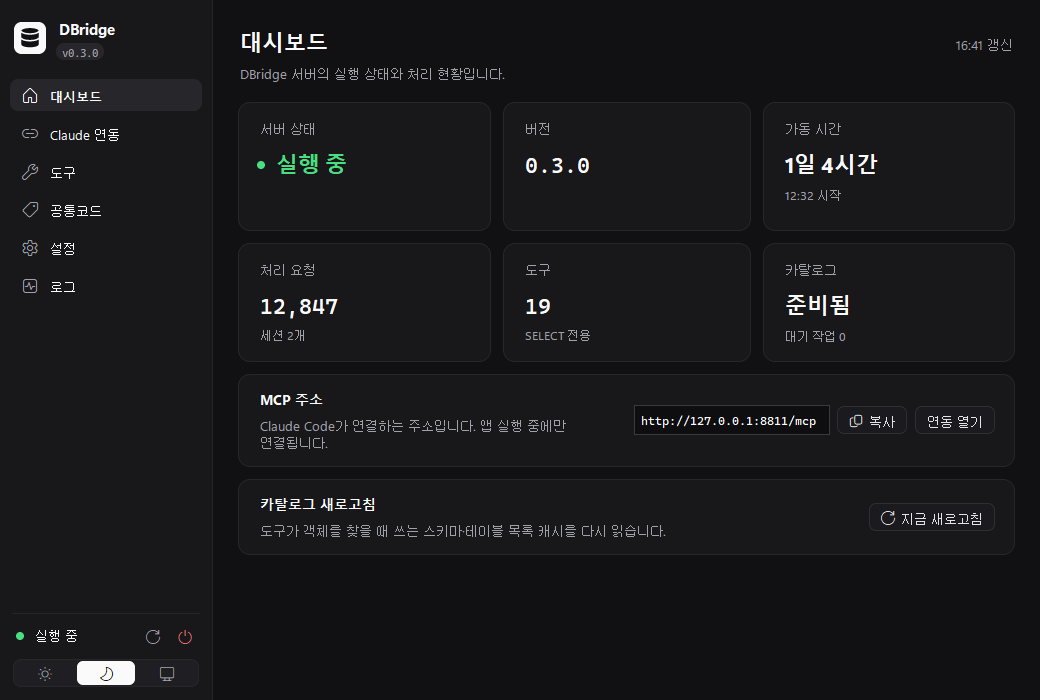
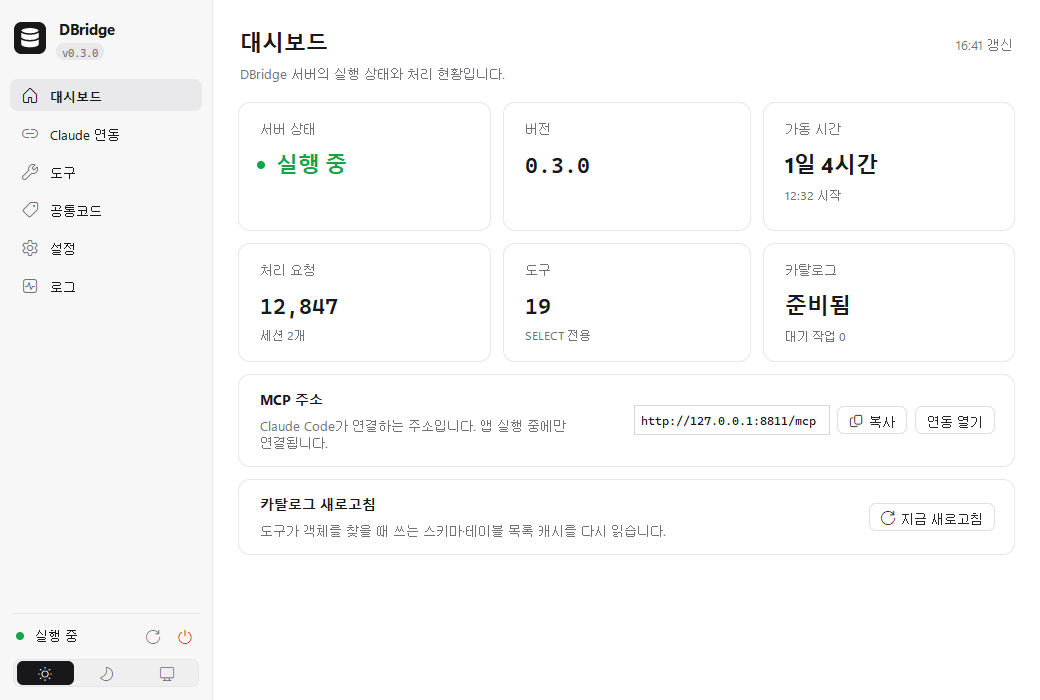
DBridge admin window on Windows · demo dataWindows용 DBridge 관리 화면 · 데모 데이터
Lookups are read-only. The one path that writes a plan stays off until you enable it.조회는 읽기 전용입니다. 실행 계획을 기록하는 유일한 쓰기는 켜기 전까지 꺼져 있습니다.
Passwords are kept aside and shown as masked values in logs and on the status screen.비밀번호는 따로 두고, 로그와 상태 화면에는 가려서 보여 줍니다.
DBridge does not mask the rows it returns. Hiding data has to be set on the database side.조회 결과를 가리는 기능은 없습니다. 필요한 가림은 DB 쪽 권한 설정이 전제입니다.
Clone the repository onto the machine that can reach Oracle.Oracle에 닿는 기기에 저장소를 받습니다.
The first run creates a config file. Put the database address and the account there.처음 실행하면 설정 파일이 생깁니다. DB 주소와 계정을 적습니다.
Register DBridge with the AI tool on this machine, then ask it one question.이 기기의 AI 도구에 DBridge를 등록한 뒤 질문 하나를 합니다.
git clone https://github.com/bamtang/dbridge
cd dbridge
python app.pySetup, the 19 tools, and limits are in the docs.설치, 도구 19가지, 한계는 Docs에서 자세히 봅니다.
Lookups are read-only. The one path that writes an execution plan stays off until you turn it on.조회는 읽기 전용입니다. 실행 계획을 기록하는 유일한 쓰기는 직접 켜기 전까지 꺼져 있습니다.
No. DBridge does not mask query results. Any hiding has to be set with database permissions.없습니다. 조회 결과를 가리는 기능은 없고, DB 쪽 권한 설정이 전제입니다.
Oracle only.Oracle만 지원합니다.
Clone it, point it at a read-only account, and connect the AI tool on this machine.저장소를 받고, 읽기 전용 계정을 연결한 뒤, 이 기기의 AI 도구에 붙이세요.